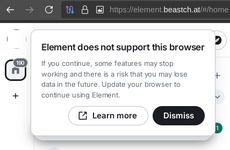
Option 1 — Use a different browser through Tor
You can run a normal browser whose traffic is routed through the Tor SOCKS proxy.
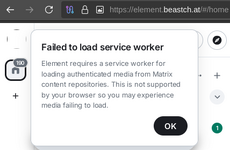
That allows Service Workers to function while the network connection goes through Tor.
But there is an important distinction: this gives you Tor's network routing, not all of Tor Browser's anti-fingerprinting protections. The Tor Project specifically notes that Tor Browser is designed to hide not only your IP but also characteristics that can contribute to browser/device fingerprinting.
While the names may imply otherwise, 'Incognito mode' and 'private tabs' do not make you anonymous on the Internet.

support.torproject.org
Option 2 — Use Element's desktop client over Tor
Element Desktop isn't a web browser, so the Tor Browser Service Worker restriction doesn't apply in the same way.
There has historically been support for launching Element Desktop with a SOCKS5 proxy, including:
--proxy-server=socks5://127.0.0.1:9050
Element's own issue tracker documents this method.
If you're using the Tor Browser Bundle, its Tor SOCKS listener is commonly on a different port (often 9150), whereas a standalone Tor service commonly uses 9050. The exact port depends on how Tor is running.
Shared/meta documentation and project artefacts for Element clients - Issues · element-hq/element-meta

github.com